Find the load source
Group related current-user processes into a meaningful workload, then surface the task that has stayed expensive instead of chasing a momentary spike.
Native macOS diagnostics
HeatSleuth connects sustained workload to the app and process behind it, explains the impact of a safe action, then checks whether your Mac actually recovers. It is built for developers who need an answer—not another wall of gauges.
A useful answer, not more noise
Activity Monitor can show CPU numbers. HeatSleuth combines live system state, related current-user processes, and a cautious action flow so you can understand what is worth handling.
Group related current-user processes into a meaningful workload, then surface the task that has stayed expensive instead of chasing a momentary spike.
Keep process facts distinct from whole-Mac signals such as CPU, thermal state, temperature, and fan data, so the app does not pretend to prove more than it can.
When you choose to end an eligible process, HeatSleuth rechecks its identity, confirms exit, and compares the following two minutes of whole-Mac signals.
The real app
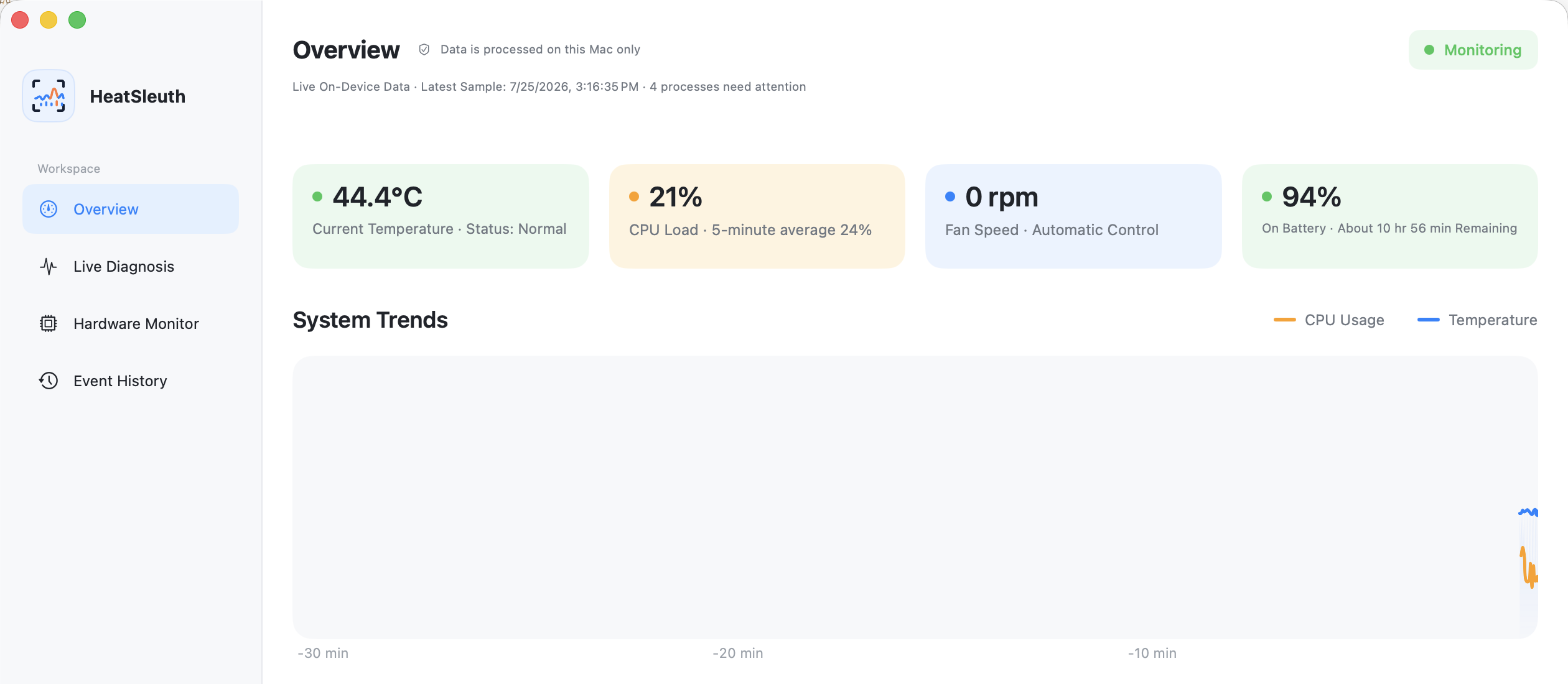
HeatSleuth stays readable when you need to make a decision quickly. It does not create sample history or invent a “hot” event when your Mac is running normally.
Focused boundaries
HeatSleuth reads the information needed for diagnosis and keeps the final decision with you. It does not become a fan controller, cleaner, remote admin tool, or cloud dashboard.
Close the main window and monitoring can continue from the menu bar, without turning the app into an always-open dashboard.
When a sensor, battery field, or hardware metric is unsupported, restricted, or temporarily unavailable, HeatSleuth says so instead of filling the screen with fake zeroes.
This is a Developer ID direct-distribution beta build, not a Mac App Store release. App Sandbox is disabled so task-level attribution can inspect eligible current-user processes; the app still uses no administrator Helper.
Install in a minute
HeatSleuth is delivered as a notarized DMG. You can verify the exact file before opening it, and the app never asks you to create an account.
HeatSleuth.app onto the Applications shortcut.Compatibility
The release is universal and requires macOS 14 or later. The complete hardware matrix is still being expanded with real test devices.
Questions
No. Metrics, task attribution, and session events are processed locally in memory. There is no account, cloud sync, or network service.
No. It reads available thermal and fan information for diagnosis. It does not change your fan policy or control hardware cooling.
HeatSleuth labels unavailable, restricted, and temporarily failed readings rather than showing a made-up number. Sensor availability varies by Mac model and macOS version.
Download and open the notarized DMG, drag HeatSleuth.app to Applications, then open it. The current direct-download build requires macOS 14 or later.
Only after you choose an eligible current-user process and confirm it. HeatSleuth rechecks identity before action and uses a cautious escalation path instead of automatically killing tasks.
Download the current notarized build, see what is sustaining the load, and decide with real evidence.